A digital twin for the person who runs the building and the person who fixes it
Syyclops turns a Revit model or a building plan into an interactive 3D twin with the mechanical, electrical and plumbing systems, the assets and the work orders in one place. I designed the product surface on top of that engine, for the web and for a technician’s phone.
 Raj SettyCEO and founder, Syyclops · on LinkedIn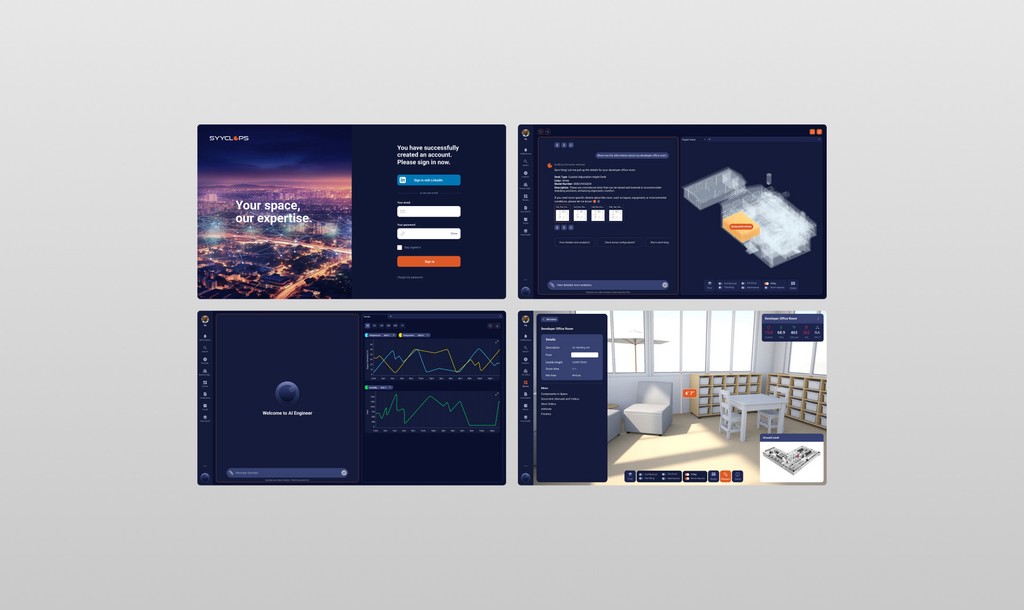
Syyclops had a strong engine: it could ingest a Revit model and render any building as a navigable 3D environment. What it did not have was a product that facility managers and technicians could actually use. They brought me in as a contractor to shape the whole experience and the visual identity.
Digital twins are dense by nature: thousands of assets, live telemetry, 3D geometry and AI predictions all wanting the same screen. And two very different people needed it. A manager between meetings asks “what is wrong right now?” A technician in a mechanical closet asks “why is this unit doing this?”
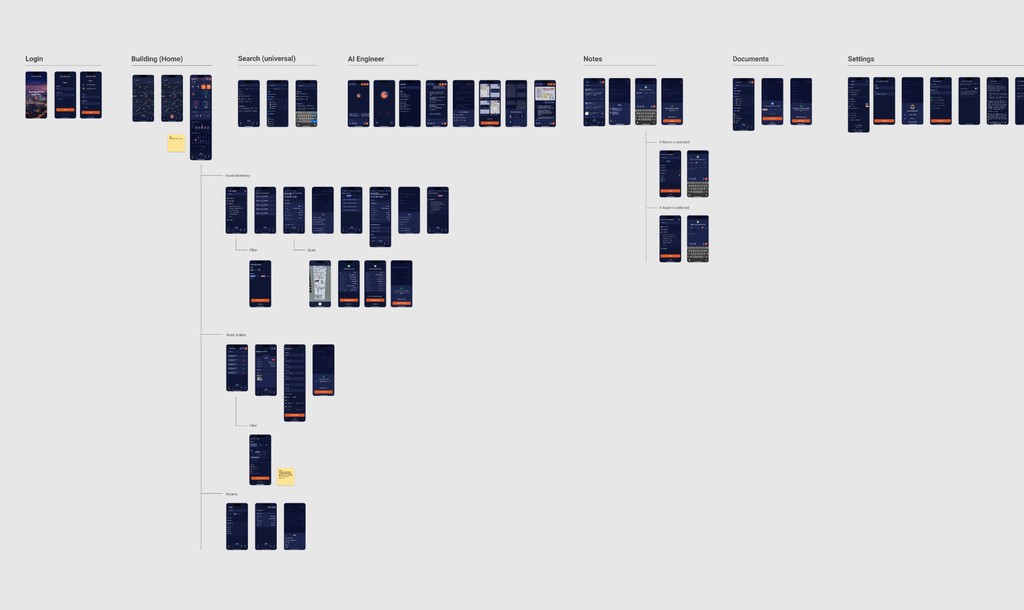
Turned the scope documents into flows, the flows into interfaces, and the interfaces into a system: the 3D view with anomalies you can see, AI search over every building document, a purpose-built iOS app for the field, and a Figma system wired into variables so the handoff was lossless.
Version one launched with end-to-end flows on web and iOS, with specs, motion documentation and an interactive prototype for engineering to build against. During the engagement, in 2023, Syyclops deployed digital twins at Flint Hill School, two campuses and more than 350,000 square feet, and at a Hyatt Place hotel; a Washington DC public-schools pilot at Dunbar High School covered another 300,000 square feet. The design system is still the base for what the team ships.
From a scope document to a working product
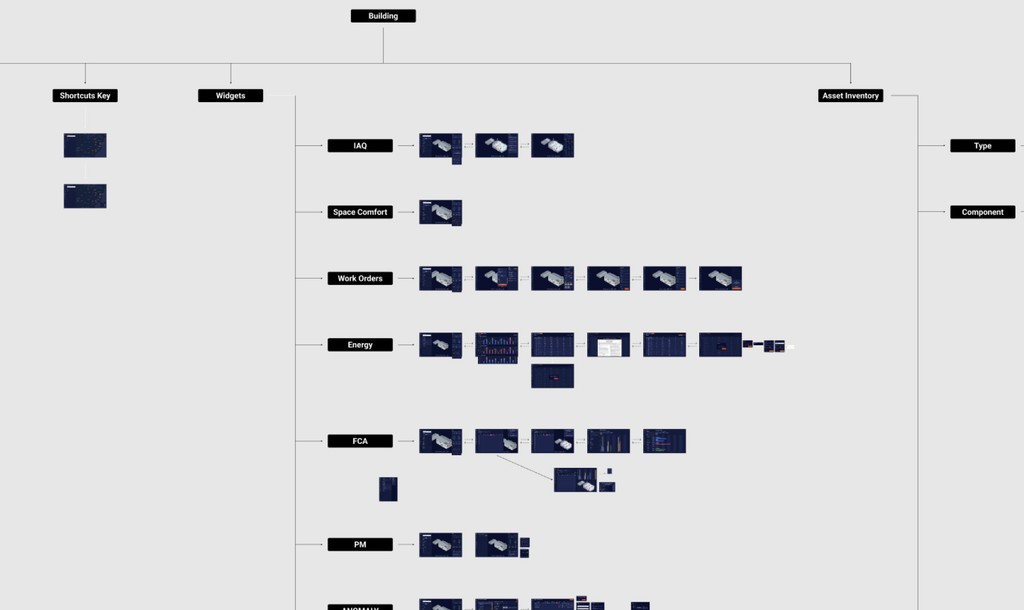
My brief arrived as high-level scope: modules, capabilities, the things the engine could do. My role was to translate that into core user flows, detailed interactions and the production interfaces engineering would build against. I was the bridge between what the technology could do and what the people using it needed it to do, which in this case were quite different things.
Two users, opposite questions, one product
The risk with a product like this is shipping something powerful that nobody can use. The manager wants a glance. The technician wants depth. They have different contexts, different technical vocabularies and different amounts of time, and the temptation is to build two products and call it a platform.
I kept it as one, and made the building itself the shared object. The manager sees it from above with the problems coloured in. The technician walks into it, room by room, from a phone. Same data, same twin, different distance.
Show the problem on the building, not in a spreadsheet
The way facility teams found anomalies before was manual: checking spreadsheets and maintenance logs one by one. In Syyclops the architectural, mechanical, electrical and plumbing systems all layer on the same 3D model, and filters isolate whatever you care about: a water loop, an air-handling unit, one electrical panel. Colour does the rest. A red asset means something needs a look. You see the building’s problems the way you would see a red light on a dashboard, and you drill in from there.
The alternative I rejected was a list-first product with the 3D model as a nice-to-have. Lists are easier to build and easier to scan for one thing. They are terrible at answering “what is wrong right now” across a whole building, which is the manager’s only question.
Ask the building, instead of hunting for the PDF
Facility teams spend a surprising share of the day looking for the right document: cut sheets, operations and maintenance manuals, inspection reports, commissioning notes. I designed the AI search as a place to ask the building a question in plain language and get a direct answer with the source document linked underneath. A five-minute file hunt becomes a five-second answer, and for a technician handling twenty service calls a day that compounds fast.
The rejected alternative was a better document browser. It would have been faster to ship and it would have kept the file hunt exactly as long as it was.
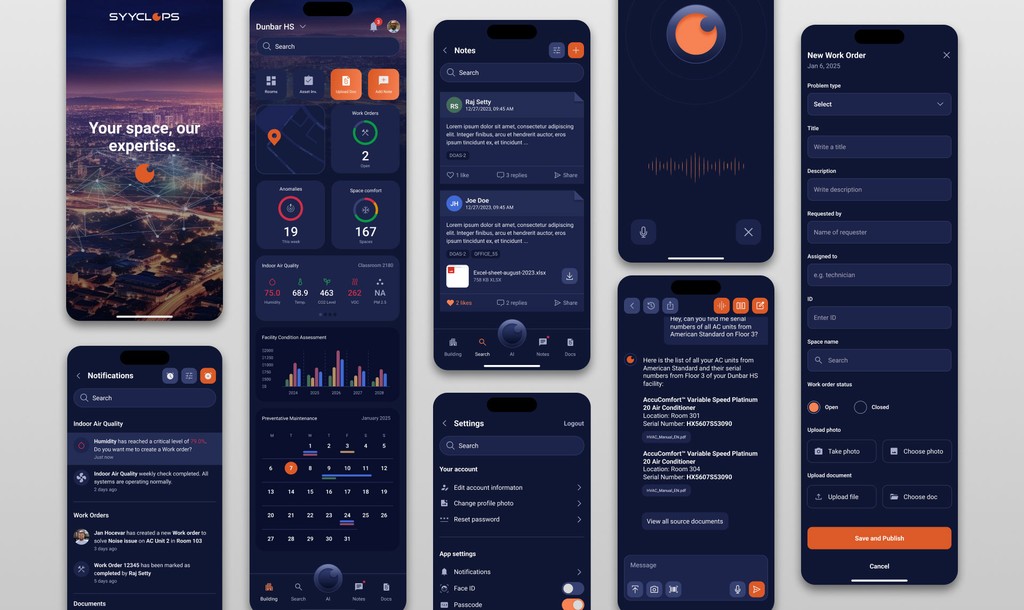
A phone app built for the field, not a shrunken desktop
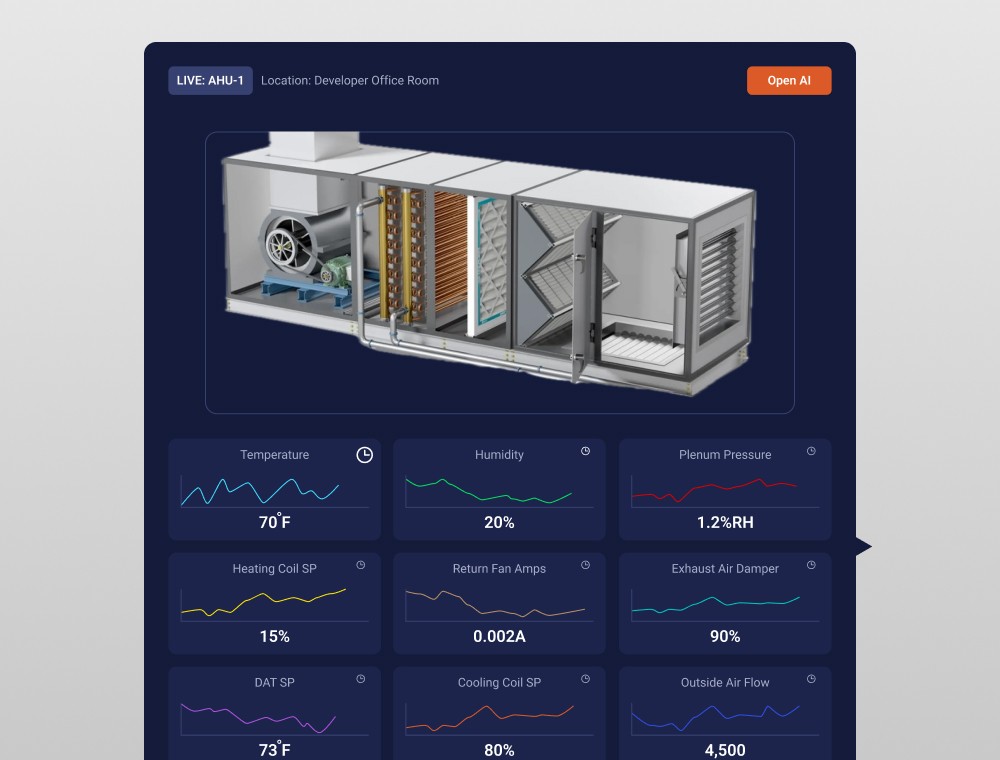
Technicians spend the day walking corridors and opening mechanical closets. They do not sit down with a laptop. So the iOS app is not the desktop product made responsive; it is a different product for the same twin. Scan a room, see its assets, triage what is wrong, create a work order, all from the phone. Indoor air quality and space comfort sit at the top because those are the first things a facility team checks when they walk into a building.
Responsive would have been cheaper, and I argued against it. A field tool that is a cut-down desktop tool fails in exactly the moment it is needed, with one hand, in a dark room, on a bad connection.
Built to be shipped, not just presented
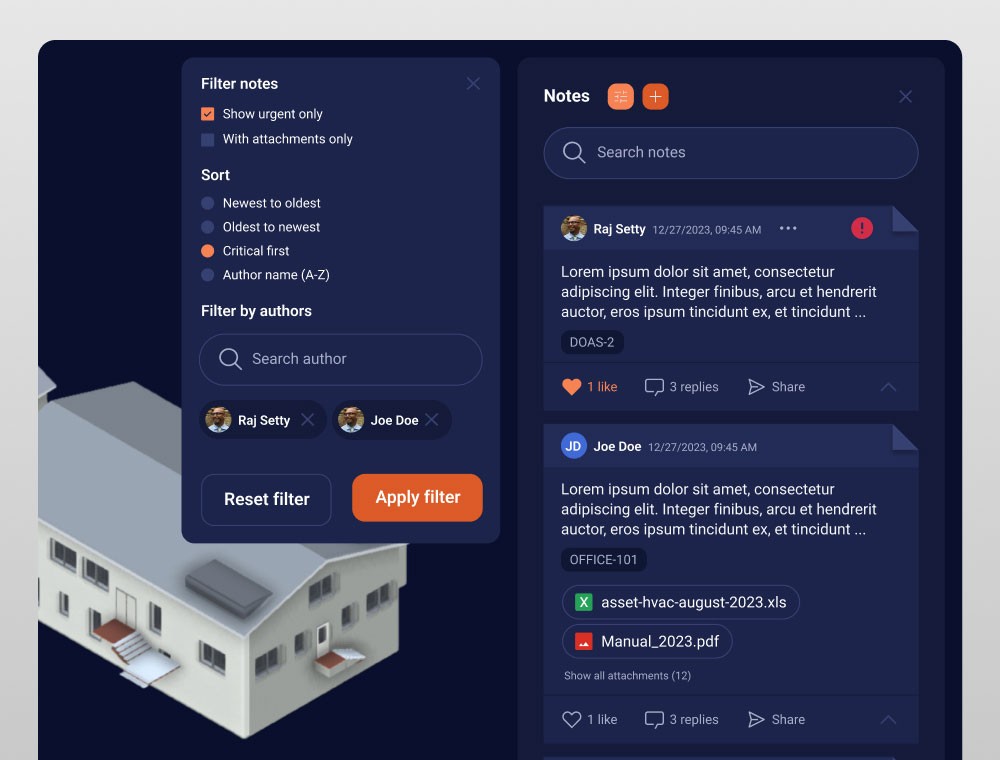
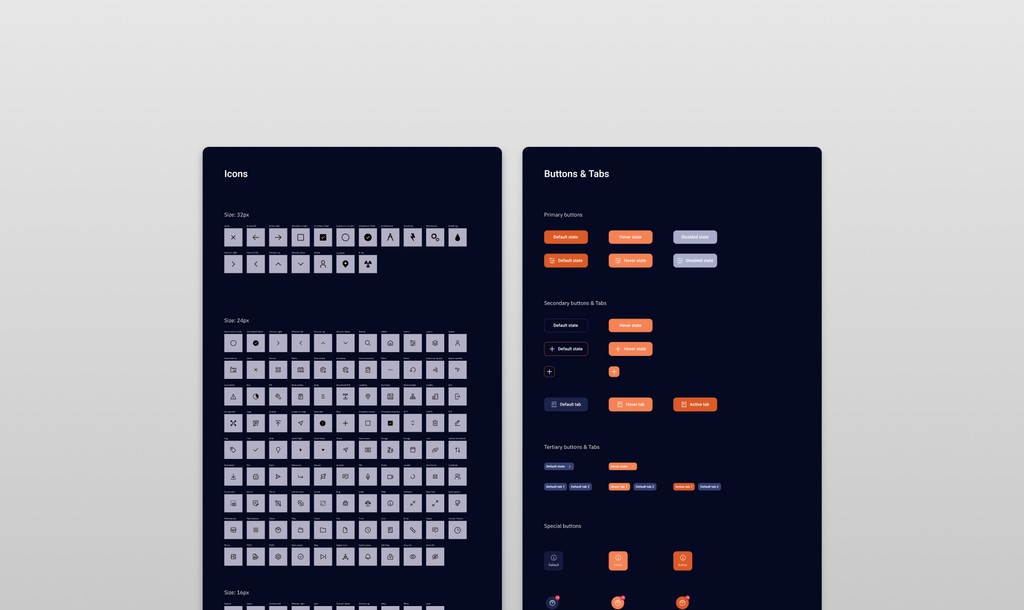
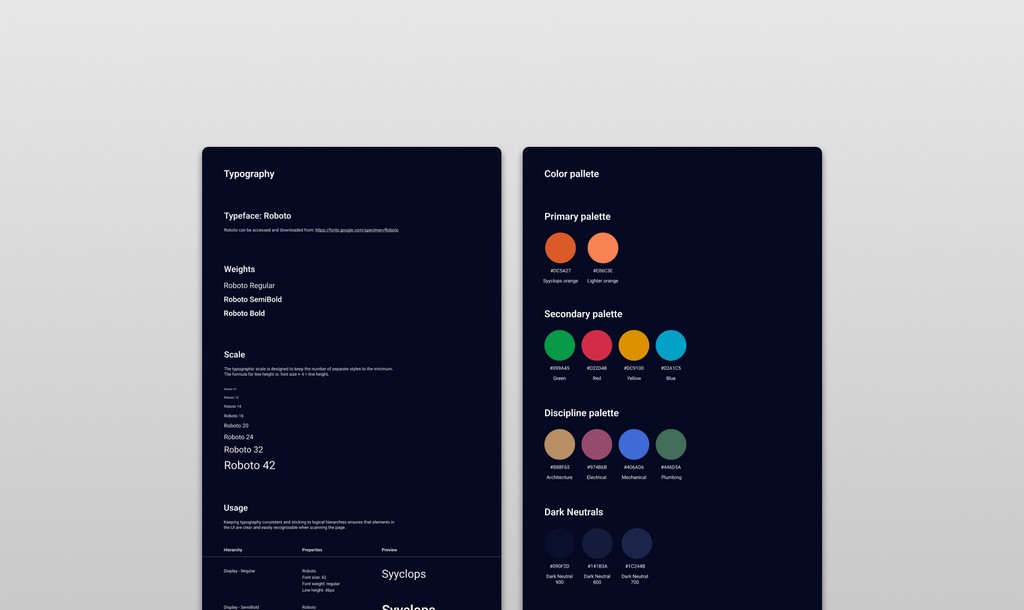
A modular design system lives in Figma next to the product: components, colour tokens, type, interaction states and a full icon library. Every primitive is wired to Figma variables, so the handoff to engineering is lossless and nobody guesses a spacing or a colour. The palette comes from the Syyclops brand: deep blue as the quiet canvas that lets data breathe, orange as the one colour that always means “act on this”. That carries across hundreds of screens without losing its clarity.
Setting direction, then making myself unnecessary
I worked directly with the product managers, the engineers and the company’s leadership, so that each design decision was tied to a real business goal and a real user need. When a junior designer joined, I moved into reviewing their work, setting direction and making sure the system could scale past me. A design system that only works when its author is in the room is not a system. The goal from the start was that the team could keep going after my contract ended, and they have.
Shipped, piloting, growing
Syyclops launched its first version with end-to-end flows on both web and iOS. The handoff included detailed specs, motion documentation and an interactive prototype engineering could reference during the build. Syyclops deployed it at Flint Hill School (two campuses, more than 350,000 square feet) and at a Hyatt Place hotel in 2023, and ran a Washington DC public-schools pilot at Dunbar High School (300,000 square feet). The design system I built is the foundation for every new feature the team ships.
That last part is the outcome I care about most: not that the screens looked good on launch day, but that the system kept working as the product grew and I was no longer there.
- Mine
- User flows, UX and UI for web and iOS, the design system, prototypes and motion documentation, mentoring
- Syyclops
- The twin engine, the scope, product management, engineering and delivery